The best way to create an invoice is by using invoicing software. You can either use a paid tool or a free invoicing app such as Conta. Here you’ll find everything you need to know about invoices in 2026.
Whether you’re running a small or large business, invoicing is an important part of business operations.
In this guide, we’ll help you find the right invoicing software for your business and explain how to make an invoice, step-by-step.
Create your free account nowImportant steps before making an invoice
Pick a way to invoice
The two most popular ways to make invoices are using invoicing software or invoice templates.
Templates are easy to use and can be downloaded for free online. With an invoice template, you have complete control over the design of your invoices and can tailor them to your needs. A downside, however, is that the invoicing process can take a long time. You have to fill out the fields manually and invoices have to be sent as attachments in manually written emails. Another limitation is that invoice numbers are not assigned automatically, which is illegal in some counries.
Invoice software helps you create and send invoices in an efficient manner. Fields such as date, invoicing number, and contact information are filed out automatically and it takes less than a minute to create an invoice. Furthermore, invoices can be sent from the software straight to your customer’s email address.
Invoicing software also helps you streamline the invoicing process with automated payment reminders and recurring invoicing. The main downside is that most types of invoicing software charges a monthly fee. However, there are some free invoicing systems on the market, such as Conta.
Create a free accountChoose the right invoice software
If you don’t send invoices, you will not get paid. Before creating an invoice, pick an invoicing software that serves your needs and is easy to use. We suggest that you try Conta.
Here’s how to choose the best software for your business:
- Create a list of all your needs: What do you need in order to work efficiently? Is it important for you that it’s easy to use? Free? Some other criteria?
- See which softwares are on the market: Software can be found through a simple Google search or by asking friends. We’ve also compared the best invoice creators.
- Pick the most affordable alternative: Make an estimate of how many invoices you are going to send and choose the software which has the lowest price while still meeting your needs.
Remember to try free alternatives, like Conta, before going for a paid alternative.
How to make an invoice, step-by-step
1. Include the essentials
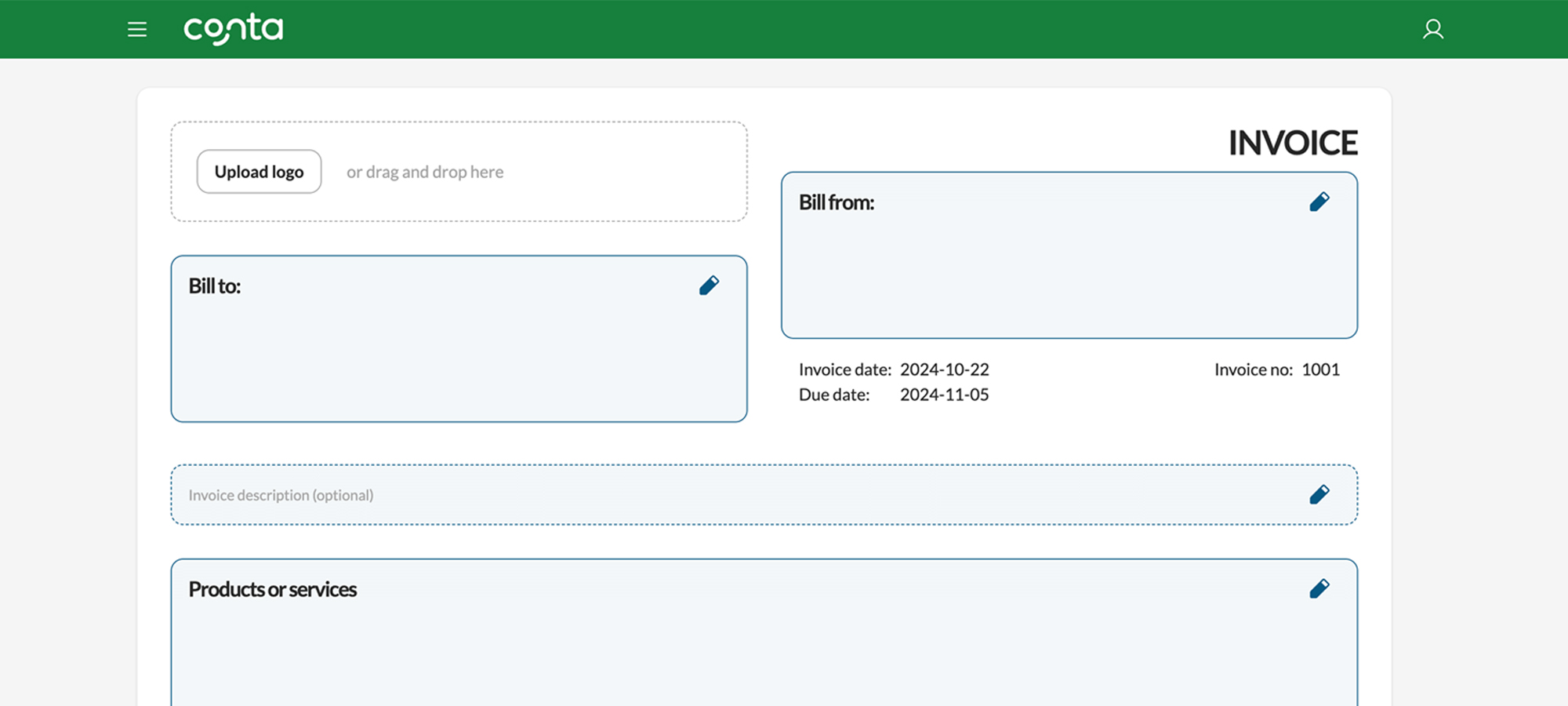
There are some elements that you have to include in order for an invoice to be valid, such as
- the word “invoice” at the top of the document
- a unique invoice number
- the invoice date
- the due date
Most invoicing software will automatically add this information, but if you’re using a template, you have got to make sure it’s all in place.
Check out this invoice example to see what you have to include.
2. Include the recipient
Include the company name, email, and address of the recipient, so there’s no doubt about who the invoice is meant for. Also include your own contact information, so your client knows who it’s from and can contact you if they have any questions.
3. Optimize your invoice to get paid on time
There are some things you should include to increase your chances of getting paid on time.
Studies show that companies who use polite language in their invoices, for example words such as “please” and “thank you”, get paid five percent faster.
You should also nudge clients to pay on time by creating a sense of urgency, for instance, by adding information about late fees: “Payment must be made within 14 days, otherwise a 4 percent late fee will apply”.
Ready to get started?
Create your free account nowHow to make an invoice for free with Conta
Using invoicing software is very straightforward. Conta helps you include all the necessary information and guides you through the process.
Here is how to create free invoices in Conta:
- Create your free account
- Fill in the blank fields
- Click CREATE INVOICE
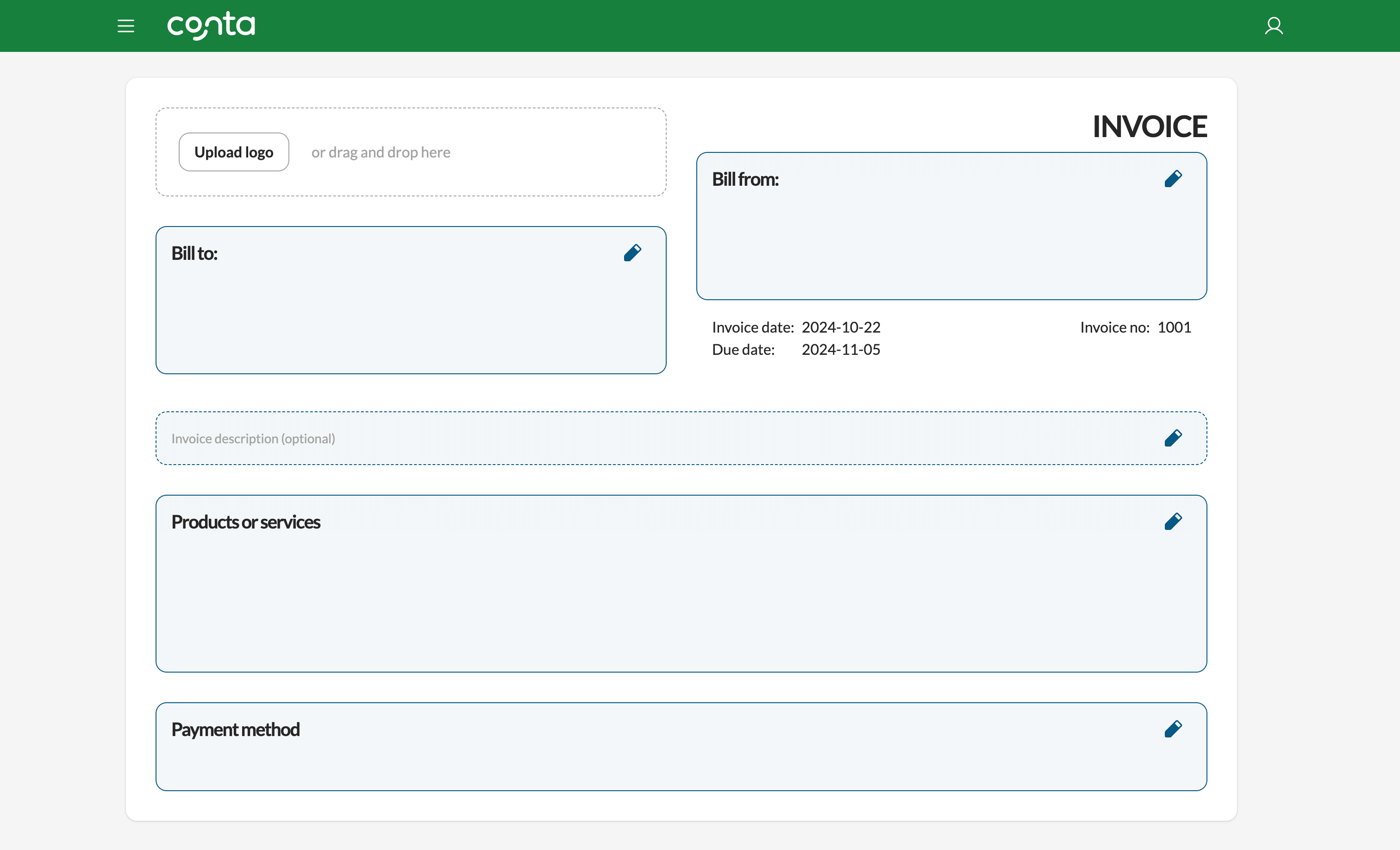
If you want to customize your invoices with your own branding, you can upload your company logo.
Your invoice is sent—what’s next?
Here are some tips to follow up on invoices:
- Remember to check whether your clients pay on time. If the payment is late, you should send a payment reminder as soon as possible. This is how to deal with overdue invoices.
- Consider automating repetitive tasks. If you, for example, need to send the same invoices each month, you can set up recurring invoicing so that they’re sent automatically.
Free invoice template vs. our invoicing software
| Features | Template | Conta |
|---|---|---|
| Cost | $0 | $0 |
| Printable |  | |
| Email to clients | | |
| Unlimited invoicing | | |
| Track sales and sales tax for accounting |  | |
| Send automatic payment reminders | | Coming soon! |
| Recurring invoicing | | Coming soon! |
| Track invoice status | | |
| Add collaborators | | |
Frequently asked questions
Yes. Every feature is free to use for 30 days, and you don't need a card to start. We're also adding new features frequently, including the free mobile app you can use to send invoices on the go.
No. Conta is built so anyone can send their first invoice in minutes, no accounting background needed. Add a customer, add what you sold, and send. That's it.
Yes. Your invoices and customer data are encrypted and stored securely, and you can export everything at any time. We never sell or share your data with third parties.
Nothing gets deleted. Your account switches to read-only, so you can still open and export every invoice and all your data. To keep sending invoices, choose a plan whenever it suits you.
No, Conta is cloud-based, so you don't need to install or download anything. All you need is a browser and an internet connection. With the free mobile app, you can even send invoices from your phone.
Invoicing software saves you time compared to filling out templates by hand, reduces the risk of errors, and remembers your clients and products for reuse. With Conta, you can send invoices to a client's email directly, or download PDFs to send yourself.
You can create and send an unlimited number of invoices during your 30-day trial.
Yes, Conta generates PDF invoices which you can send to your client's email directly from the system, or download and send manually.
A quote is a price estimate you send before you start work. An invoice is a bill for products or services you've sold, usually sent after the work is complete, requesting payment.